L’interfaccia utente è stata sviluppata in modo da funzionare al meglio con il browser Google Chorme ®. In alternativa anche Firefox dovrebbe funzionare correttamente.
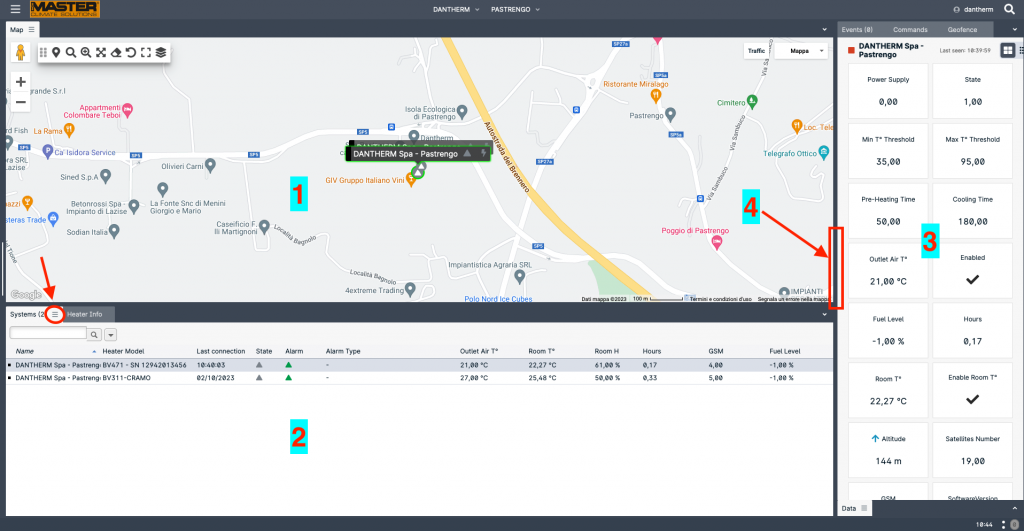
L’interfaccia utente è composta da vari pannelli (tab), ciascuno con informazioni specifiche.
(1) Mappa con tutti i sistemi disponibili per la vista corrente. Ciascun sistema è mostrato nell’ultima posizione nota e con il proprio indicatore di stato.
(2) Elenco di tutti i sistemi disponibili nella vista corrente e dei principali parametri quali temperatura, allarmi, ultima connessione, ecc.
(3) Status of the selected system. All the parameter in this panel are related to the system selected in the Systems panel (2). To select a system just click it (mouse left button)
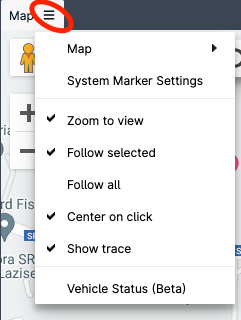
Each panel is identified by a label (Map, Systems, Heater Info, Commands…). If a three horizontal line icon is present near the label, additional options are available:
Panels (also called “tabs”) can be move around the interface in order to setup your own work space. To move a panel hold the mouse left button on the panel label and wait until the interface changes into edit mode and, still holding the mouse, position on the green lines:
To resize panels, move the cursor on the panel edge (4) and then drag as desired.
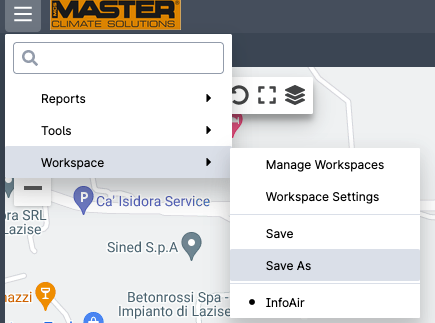
Once the interface is setup according to your needs, save your worksapce:
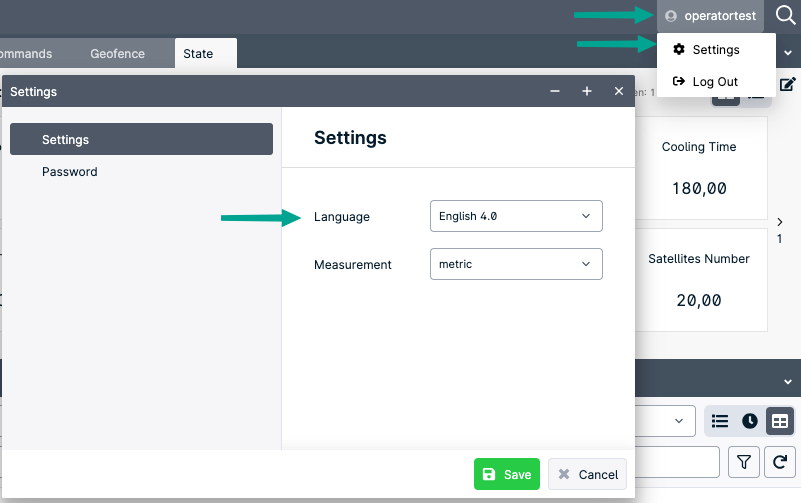
Per cambiare la linga o la password aprire la finestra delle impostazioni utente cliccando in alto a destra.