
The state panel shows the parameter of the system currently selected in the “Systems” panel. To select a system just click it (mouse left button) in the System panel.
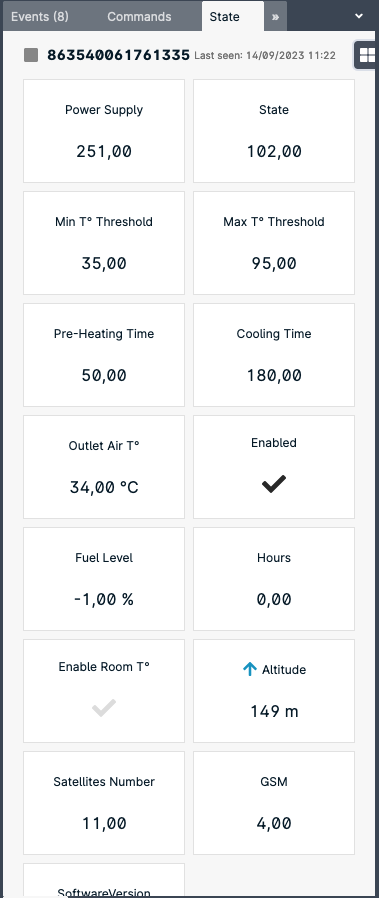
- Power Supply: Main AC supply
- State: heater state code
- Min T° Threshold
- Max T° Threshold
- Pre-Heating Time
- Cooling Time
- Outlet Air T°
- Enabled: Whether the heater is enabled or disable. By disabling the heater the heater will stop working until enabled again.
- Enable Room T°: when the flag is dark, an external BLE temperature sensor is associated with the heater.
- Satellite Number: Number of GPS satellites tracked.
- GSM: Cellular network signal quality (1: poor – 5: excellent)
The parameters reported in the panel refer to the system name reported on top of the list.