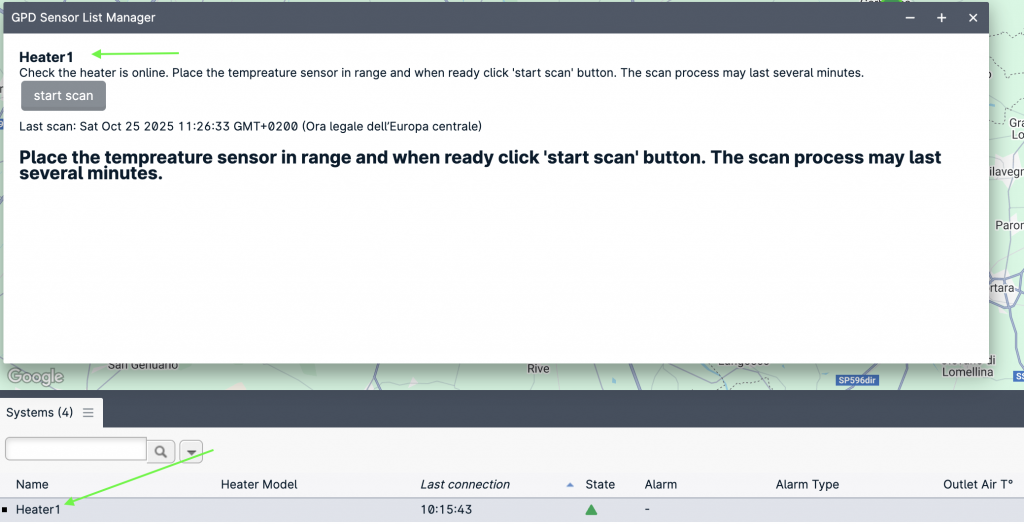
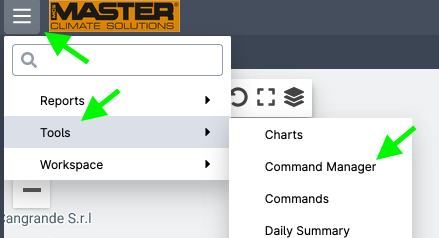
To pair the room temperature sensor use the “Wireless sensor scanner” from the “Tools” menu.
Select the heater to be coupled with the sensor and check the name appears in the Sensor List manager pane.
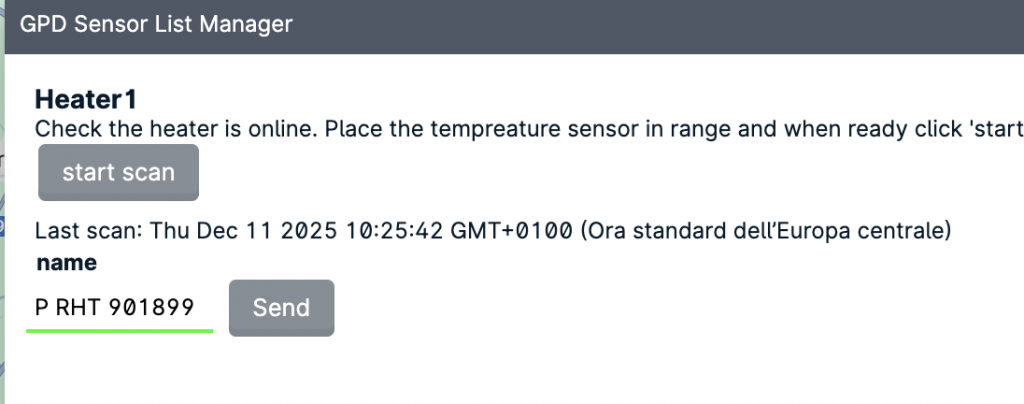
Click “start scan” and wait for the device to be listed. The can process can require up to two minutes. If no sensor is listed check the sensor is active and in range and if needed restart the scan process.
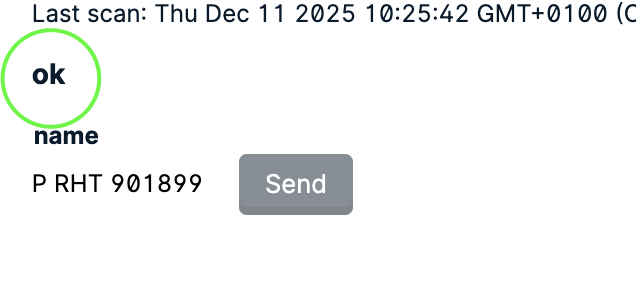
Once the device shows up in the list, click send to pair:
Infoair allows controlling room temperature by using a wireless temperature sensor. To use this function a wireless temperature sensore shall have been previously coupled (see Pairing sensors).
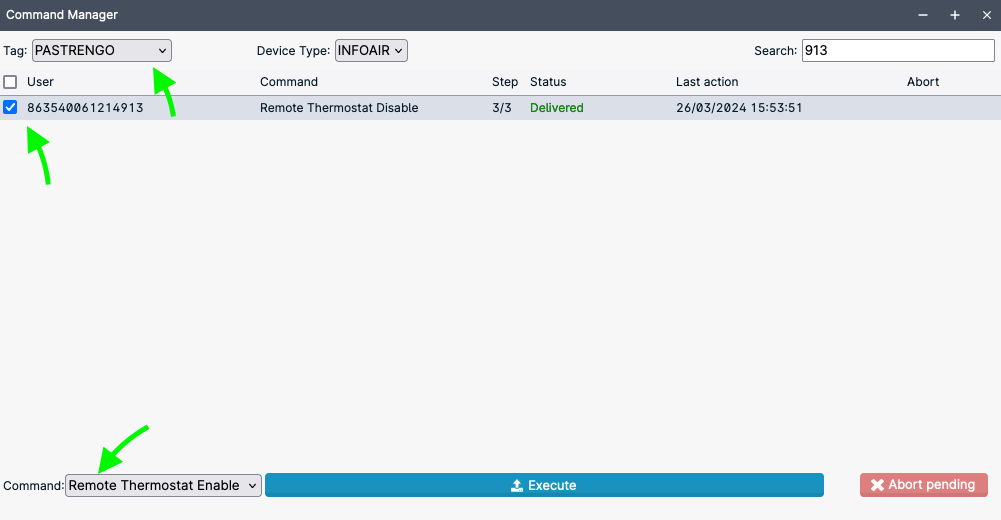
This function is enabled by using the “Command Manager” panel from the tools menu.
If you have multiple heaters, you can simplify the search by selecting the appropriate ‘Tag’ (i.e., group) and using the ‘search’ textbox. Then select the heater(s) and from the drop down menu choose “Remote Thermostat Enable”, then click “Execute”.
Once the command has been sent it will take some minutes before the heater will change state and start using the wireless sensor to measure the room temperature.Please note that the duration of this operation may vary depending on network connection and stability.
Once the function is enabled, the heater status icon will turn into a green thermometer or in a water drop, according to the selected control mode:
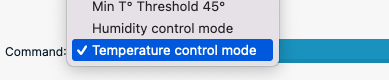
The heater can control both temperature and humidity. To select the appropriate control mode, choose from the command menu either “Temperature control mode” or “Humidity control mode”.
To set the target temperature, use again the Command Manager window and select the “temperature threshold” command. Set the desired temperature in the textbox and then click execute.
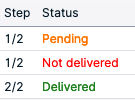
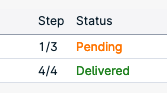
The system is designed to account for network disconnections so it will keep trying for several minutes, in case the command cannot be delivered, its status will be shown as “Not delivered”. In this case you can send the command again. A “Pending” command is being executed or is waiting for the device to connect.
Even though the system allows sending multiple commands and queue them, we strongly recommend to wait the completion of a command before sending the following. Before sending a new command, check there is no pending command.
If Humidity control mode was selected, the target humidity can be selected using “Humidity Threshold” command:
The heater will scan the temperature for changes every 60 seconds.